|
 |
Accessories |
 |
|
|
|
|
| Shortcut Software Photo Studio 9 Home |
|
|
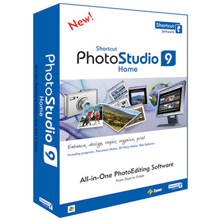 |
PhotoStudio 9 Professional is similar to the Home version, but included in this version is more advanced functionalities built for the true photographer enthusiast that wants things done the fun, easiest, and simple way.
$46.99 - $47.95 at 2 Store(s) |
|
|
|
|
|
|
| Expert's Review |
|
User Reviews |
|
Specifications |
|
|
| Features | | New Program Core | | Redesigned program core -- now supports processing of photos in 16 bit/channel color depth. This feature makes Shortcut Photo Studio a better companion than ever for professional users: it's now a full-fledged partner to specialized photo editing tools.
| | 16-bit processing | | 16-bit processing is not just limited to a few operations; instead, it affects the vast majority of image edits and import/output filters.
| | Easier Batch Photo Editing | | It has always been easy to process many photos at once in Shortcut Photo Studio. But the latest version takes this even further. Now in just a single step, you can set up any group of edits you want, in the order you want, and immediately apply them to all selected photos. No resaving between the edits in the batch means less loss of quality, as does 16-bit support.
| | DVD Slideshows | | Shortcut Photo Studio 9 includes a new tool for creating interactive slideshows in DVD format that can be played on every tabletop player.
| | GPS Support | | You can assign GPS data automatically from a GPS device's track log if you wish, and you can use an on-line map of your choice for display. Knowing exactly where a photo was taken gives it a whole new dimension, which you will appreciate no matter whether you use your camera for to eristic play or professional work in the field.
| | Better Work with Picture Information | | New Descriptions Panel in the Browser so you can describe photos more easily. Search and Replace function for picture information. New variants for “variable text” (text that the program can fill in automatically for you) in version 9 related to this versions’ new functions.
Faster work with picture information that’s stored in XMP format. Batch assignment of location (city and state)
| | Panorama Wizard | | helps you make panoramas easily. The program finds the shared points in the individual shots and joins them automatically and if possible perfectly. You can also manually edit the joining. It also includes automatic exposure correction.
| | 3D Image Wizard | | This wizard helps you create pseudo-3D images (anaglyphs) which appear in simulated 3D when viewed through special glasses with one red and one blue lens.
| | Web Galleries | | Automatically create web photo galleries using pre-designed templates – no HTML experience required!
| | PDF Slideshows | | publish to PDF and share with family and friends.
| | Image Magic | | Effects like conversion to grayscale, color manipulation, explosions, oil painting, antique photo, add grain and waves. Plus frames, envelopes, soft shadows and more.
| | Creating 3D Pictures (Anaglyphs) | | The type of camera and of any other equipment used is not important; it only takes a little practice you can take source pictures yourself and then create a 3D image from them in Photo Studio.
| | System Requirements | | OS | | Windows™ 98/ME/2000/XP/Vista
| | Processor | | Pentium 300 MHz or higher
| | Memory | | 128 MB RAM
| | HDD | | 90+ MB of free disk space
| | Resolution | | 800 × 600 High Color
| | SUPPORTED FILE FORMATS | | BMI, BMP, CR2, CRW, DIB, GIF, ICO, JPE, JPEG, JPG, MAC, MDM, MRW, NEF, ORF, PCD, PCX, PNG, PSD, PSP, RAW, RLE, TGA, THM, TIF, WPF, EMF, WMF, ZBR, ZCL, ZMF, ZMP
| | SUPPORTED MULTIMEDIA FORMATS (DirectX required) | | ASF, AVI, M1V, MOV, MPE, MPEG, MPG, QT, WMV, AIF, AIFF, AU, MID, MIDI, MP3, MPA, RMI, SND, WAV and WMA
|
|
|
|
|
|
| Where To Buy ? |
|
 |
$46.99 |
 |
|
 |
$47.95 |
|
|
|
|
|
|
|